Everyday Eye Care · Health & Living
Monitor height for eye strain: where your screen should sit
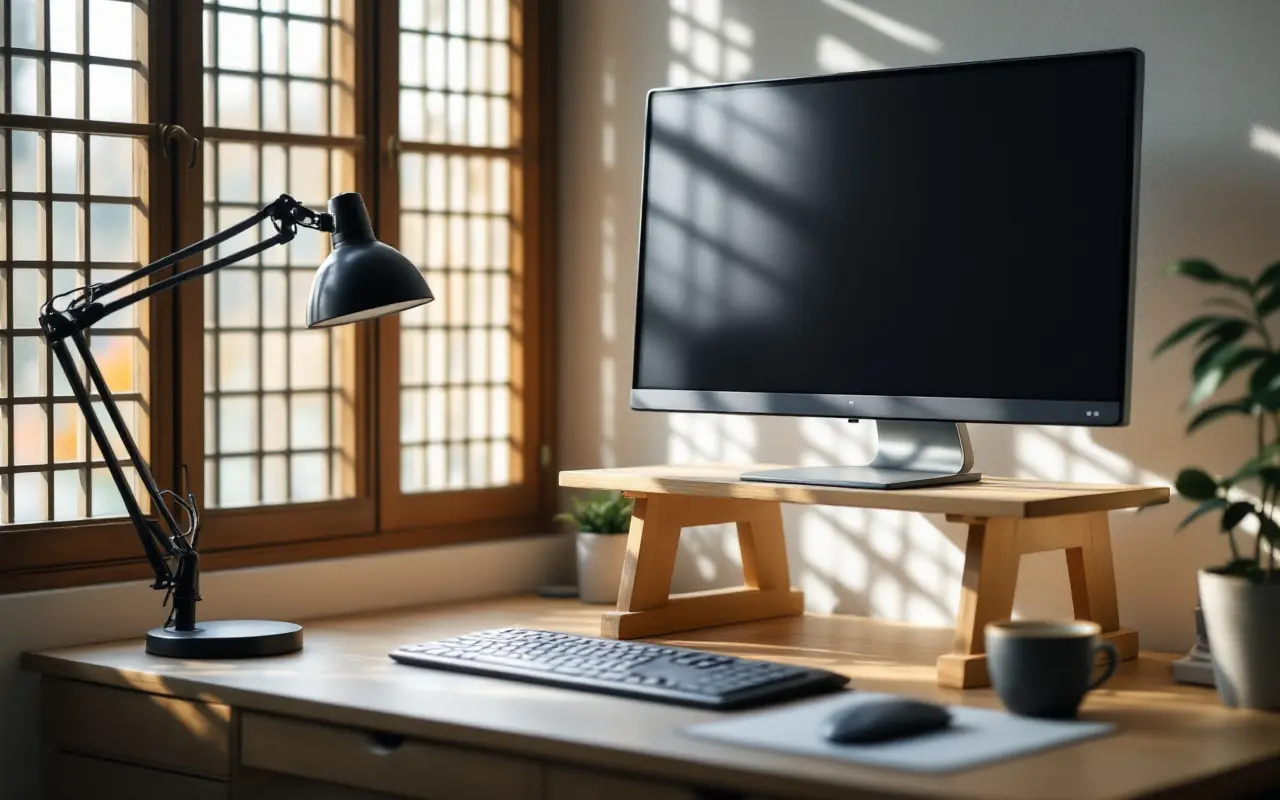
For less eye strain, set your monitor so the top of the screen sits at or slightly below eye level and you look a little down to read the middle of it. Keep it about an arm's length away, roughly 20 to 28 inches (50 to 70 cm), make the text bigger instead of leaning in, and turn the screen side-on to windows so bright daylight neither sits behind it nor bounces off it.
That covers the basics. The rest is what makes it work at a real desk: a laptop that wants to be keyboard and screen at once, a lamp that ends up reflected in the glass, and glasses that change where you need to look. In early November the low afternoon sun reaches across my desk by the window in a way it never does in summer, and every year I end up moving things around again.
Why height and distance change how your eyes feel
Tired, aching or dry eyes after screen work are often called digital eye strain. Three things drive most of it: focusing at one close distance for hours, blinking less while you concentrate, and holding your head and eyes at an awkward angle.
Screen height touches all three. When you look up at a monitor, your eyes open wider, so more of their surface meets the air and tears evaporate faster. Looking slightly down lets the upper lids cover more of the eye. You can feel the difference: read a long email looking up at a screen, then again looking slightly down.
Distance matters because the closer the screen, the harder the focusing muscle inside the eye works, and the more your eyes have to turn inward to stay lined up. An arm's length eases both. Posture closes the loop. A screen that is too low pulls your head forward, one that is too high tips it back, and either way your neck and shoulders join in.
Screen work is not generally thought to cause lasting damage to the eyes. Strain is discomfort that usually eases with rest. But comfort is worth having for a whole working day, and strain that doesn't ease is a reason for an eye exam.
How to set the height, step by step
- Set the chair first. Sit the way you actually work, back against the chair, feet flat on the floor or a footrest, shoulders relaxed. Adjusting the screen before the chair is the most common way to get it wrong.
- Look straight ahead. Your gaze should land at or just below the top edge of the screen, so the middle sits lower and you look slightly down to read it. Many guides put the center of the screen about 15 to 20 degrees below eye level, which works out at roughly 4 or 5 inches (10 to 13 cm) below.
- Raise or lower the screen. A stack of sturdy books is fine for a trial week before you buy anything.
- Tilt it back slightly, so the screen faces your eyes. If a ceiling light then shows in it, adjust the tilt until the reflection goes.
- Center it. The screen you use most goes straight in front of you, not off to one side. With two monitors used equally, put the join between them in front of your nose.
Give a new height a few days before you judge it. Necks complain about any change at first.
If you wear progressives or bifocals
Progressive and bifocal lenses keep their reading zone at the bottom. To read a high screen through it, you tip your chin up, and a stiff neck follows. Lower the screen more than the usual advice, sometimes well below eye level, until you can read it with your head level. Computer glasses vs reading glasses explains why lenses set for a book don't always suit a screen, and the reading glasses strength tool shows how the strength you need changes with distance, since a desktop screen usually sits farther away than a book. If you keep hunting for the clear spot, tell your optometrist how far away your screen is.
Distance, text size and laptops
An arm's length is a good starting distance. Sit back and reach out: your fingertips should roughly touch the screen. That puts most people somewhere around 20 to 28 inches (50 to 70 cm). A very large monitor may feel better a little farther back.
If you can't read comfortably from there, make the text bigger rather than pulling the screen closer. Zoom in the browser, raise the system text size, or switch a document to a larger view. Leaning forward is the habit to watch, because it creeps back after an hour without your noticing.
Laptops are the hard case, because the screen and keyboard are joined. With the keyboard at a comfortable height, the screen is far too low, and you end up looking sharply down with your head pushed forward. That is fine for half an hour at a kitchen table. For a working day, raise the laptop on a stand or a pile of books until the screen reaches the right height, and plug in a separate keyboard and mouse.
Phones deserve a thought too. Hold yours a little farther away than feels natural, and bring it up toward eye level rather than bending your neck down to it.
Windows, lamps and brightness
Glare makes you squint and lean in, so where the light comes from matters as much as screen height.
Turn the screen side-on to the window, so daylight falls across the desk rather than straight at you or straight onto the glass. A window behind the screen makes you look into the brightest thing in the room; a window behind you puts reflections in the screen. Blinds or a thin curtain help when the sun moves. In late autumn the sun sits lower and reaches deep into rooms in the afternoon, so a desk that was comfortable in June can be full of glare by November. In Kyoto that is also the month the maples turn, and I lose a little work time every year watching them instead.
A screen needs less room light than paper does. For papers or notes beside the screen, add a desk lamp to one side and angle it down onto the page, so its light doesn't show in the screen or shine in your eyes. A shade that diffuses the light helps, and so does being able to dim it once the room gets dark. The piece on autumn reading and tired eyes has more on balancing a lamp with room light.
Then match the screen to the room. If it glows like a lightbox in a dim room, turn it down; if it looks gray and washed out in daylight, turn it up. Many screens adjust brightness automatically, but check that the result still looks right to you.
Breaks, blinking and the air
A well-set desk still needs pauses. The screen break timer runs in a browser tab: press start, keep the tab open, and every 20 minutes it reminds you to look at something about 20 feet (6 meters) away for 20 seconds, with an optional soft sound. Use the pause for a few slow, full blinks, since people blink less often and less completely while they concentrate. Getting up from the desk every hour or so helps your neck and back as well as your eyes.
The air finishes the job. Heating, air conditioning and desk fans dry the eyes, so turn vents away from your face. The column on dry eyes and screen time covers blinking, humidity and eye drops in more depth.
What helps with eye strain at a desk
Most of what helps costs nothing. A few items make a good setup easier to keep.
| Option | Who it suits |
|---|---|
| A stack of sturdy books under the screen | Anyone finding the right height before buying anything |
| A height-adjustable monitor stand | People whose monitor sits too low, or who share a desk with someone of a different height |
| A laptop stand with a separate keyboard and mouse | Laptop users who work at a desk for hours |
| A dimmable LED desk lamp placed to one side | People who read paper beside the screen, or keep working after dark |
| Turning the desk side-on to the window | Anyone who squints at a bright window or sees reflections in the screen |
| A 20-second look into the distance every 20 minutes | Everyone, and especially people who lose track of time |
| An eye exam that takes your screen distance into account | People with headaches, blur that doesn't clear, or glasses that don't suit the screen |
To choose, start with the free options and see what is left. Find the height you need with books first, then measure it, so you know whether a stand will reach it. A height-adjustable stand with a storage shelf keeps the setup tidy and easy to change if two people share the desk. For a lamp, look for steady light you can dim, a shade that diffuses it, and a base you can place to the side; several brightness levels and color modes help. Pick whichever color mode looks comfortable on the page in front of you. Avoid bare, bright bulbs near eye level and any lamp position that shows up in the screen.
When eye strain needs an eye exam
Setup fixes a lot, but not everything. Book an eye exam if:
- you get headaches after screen work most days, even after changing your setup
- you see double, or text blurs and doesn't clear when you blink or rest
- you close one eye to read, or one eye seems to work harder than the other
- you still squint or lean in with larger text
- you are in your 40s or older and close focus is getting harder
- your glasses, or your last eye exam, go back several years
An optometrist can check whether you need glasses or a new prescription; tell them how far away your screen sits so the lenses suit it. An ophthalmologist, a medical doctor who specializes in eyes, treats eye disease. If work hours make appointments hard, eye care around a working week has ideas.
Some symptoms are urgent whatever you were doing. Sudden double vision, sudden loss of vision in one eye (even if it returns within minutes), or sudden severe eye pain with blurred vision, halos around lights, headache and nausea needs emergency care: call your local emergency number (such as 911, 999, 112, or 119 in Japan). New flashes of light, a sudden shower of floaters or a shadow across part of your vision need same-day eye care. Eye emergencies and first aid covers the first steps.
Questions people ask
Should the top of my monitor be at eye level?
At eye level or slightly below. The middle of the screen, where you read most, then sits a little lower and you look slightly down. If you wear progressives or bifocals, set it lower still.
How far away should a computer monitor be from your eyes?
About an arm's length, roughly 20 to 28 inches (50 to 70 cm) for most people. If text looks small from there, enlarge the text rather than moving closer.
Is it better to look up or down at a screen?
Slightly down. Looking up opens the eyes wider, so tears evaporate faster, and tips the head back. Looking slightly down lets the lids cover more of the eye and keeps the neck in a more natural position.
Can a bad monitor setup damage your eyes?
Eye strain from screens is generally thought to be temporary discomfort rather than lasting damage, and it usually eases with rest and a better setup. If it doesn't, see an eye doctor, since an uncorrected prescription, dry eye or a problem with how the eyes work together may be behind it.
Sources
- American Academy of Ophthalmology: patient pages on computer use and eye strain.